SEO advice you can act on today

Know exactly what to change on your website to get found on Google

Add your website and your competitors. We compare them and give you a clear to-do list: which page, what to change, how to do it and why it matters. Nothing to install, and we never touch your site.

  • Free plan, no credit card
  • No access to your website needed
  • Plain language, no jargon
Example adviceHigh priority

Write a unique meta description for 14 pages

Where
In the <head> of each page: the meta description
Now
Missing on /services/ and 13 other pages
Suggested
“Handmade oak tables, built to order. Free delivery in the Netherlands.”
Why
Search engines show this text under your title. A clear description gets more people to click your result.
Moderate effect on your results +6 points on your on-page score

Built for business owners who want to be found, marketers who need to know what to do next, and agencies who look after many websites.

How it works

From address to action plan in a few minutes.

  1. Add your website

    Type the address of your website. No code, no plugin, no proof that you own it.

  2. Add your competitors

    Enter the ones you already know, or let us search for businesses that compete with you in search and that you may not have heard of.

  3. Get your to-do list

    We read both sides, compare them and hand you prioritised advice you can pass to whoever looks after your website.

See it in action

Real screens from the app, shown with a made-up business. Click a picture to enlarge it.

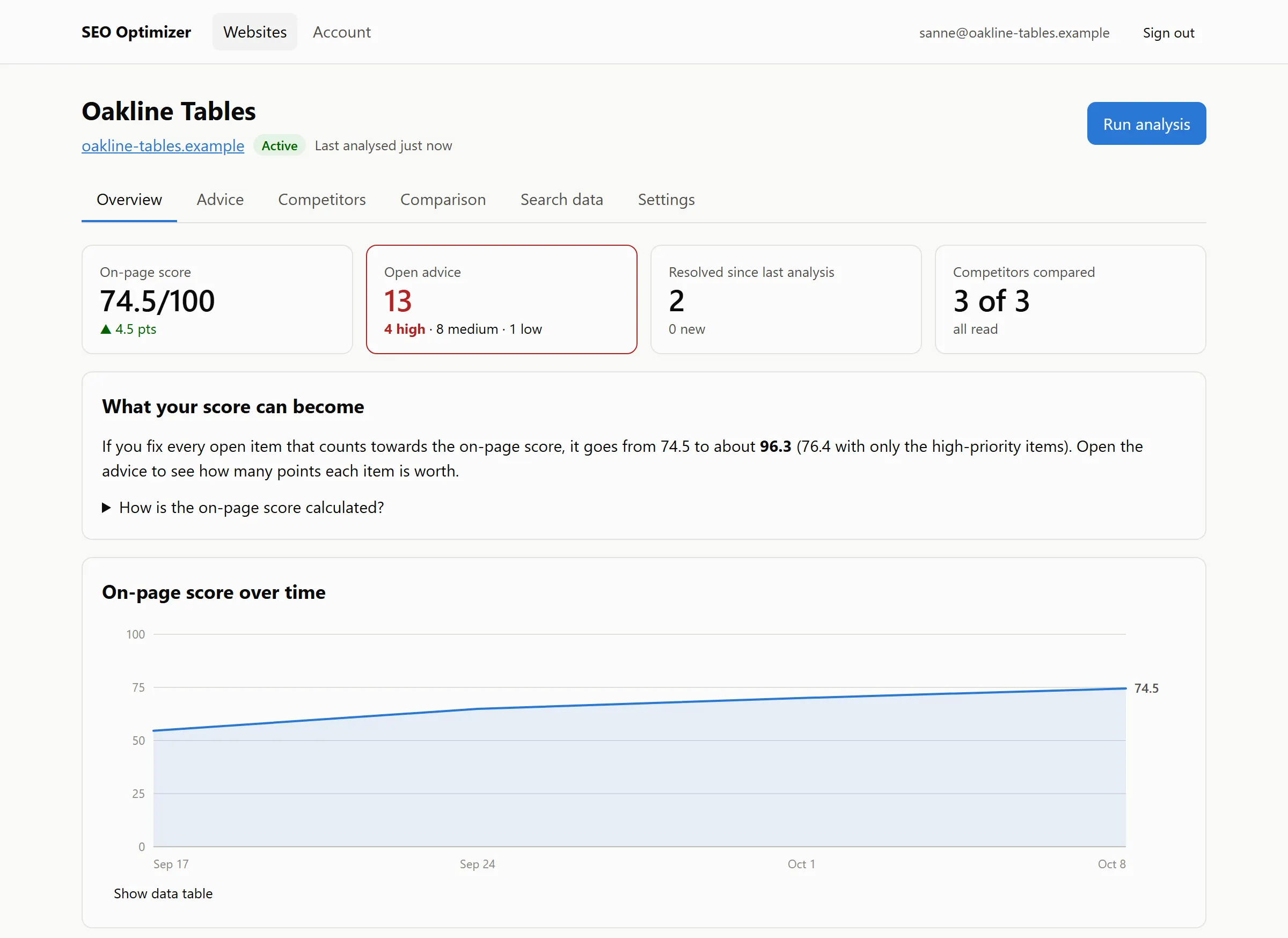
Your score, your progress, your next step

See your on-page score, how it has developed since your first analysis and which items are still open. Every item shows how many points it adds, so you always know where to start.

Overview screen for a demo website: on-page score 74.5 out of 100, 13 open advice items of which 4 are high priority, 3 of 3 competitors compared, and a chart of the score rising over three weeks.

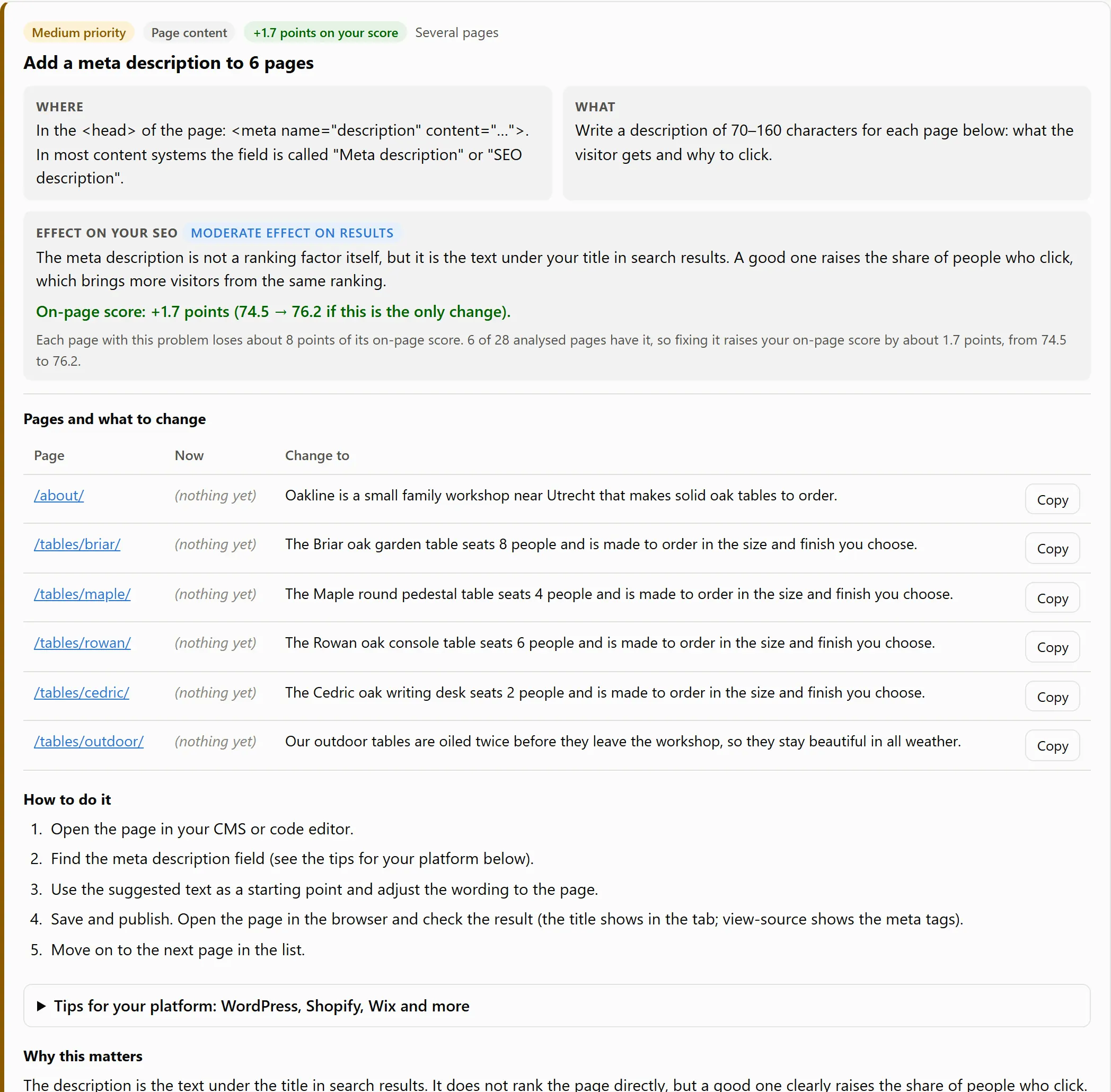
Every fix, explained page by page

Each item says where on the page to look, what to change and why it matters, with suggested wording you can copy. Hand it to your web developer, or do it yourself in a few minutes.

Advice item “Add a meta description to 6 pages”: where to change it, what to write, the effect of 1.7 points on the on-page score, the six pages with suggested text to copy, and the steps to follow.

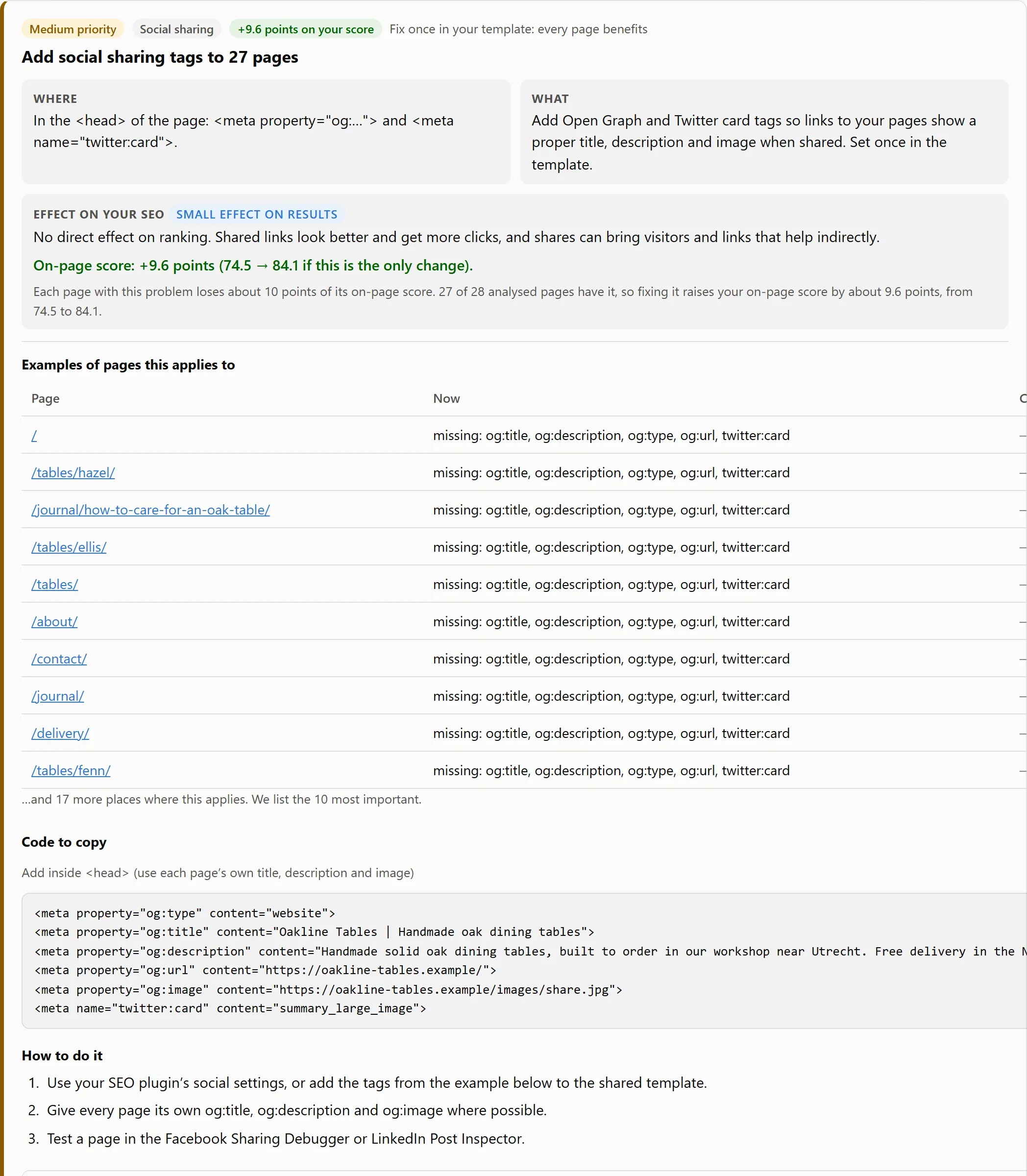
Code you can copy, and what it is worth

When a fix needs code, you get it ready to paste: social sharing tags, structured data, a canonical tag and more. Each item shows how many points it adds to your score and how much effect to expect on your results.

Advice item “Add social sharing tags to 27 pages”, worth 9.6 points: example pages, ready-to-copy meta tags and the steps to follow.

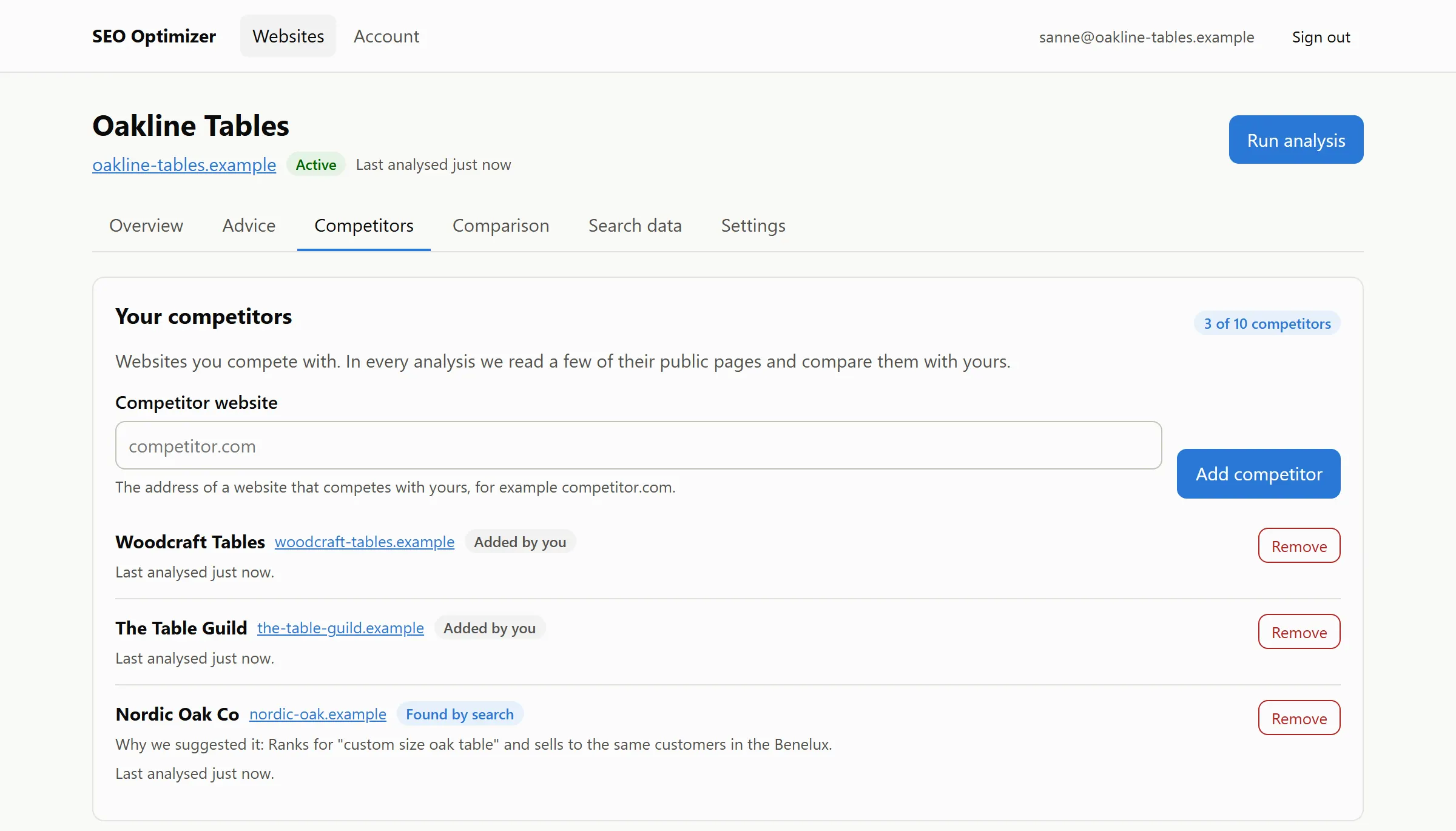
Know who you are up against

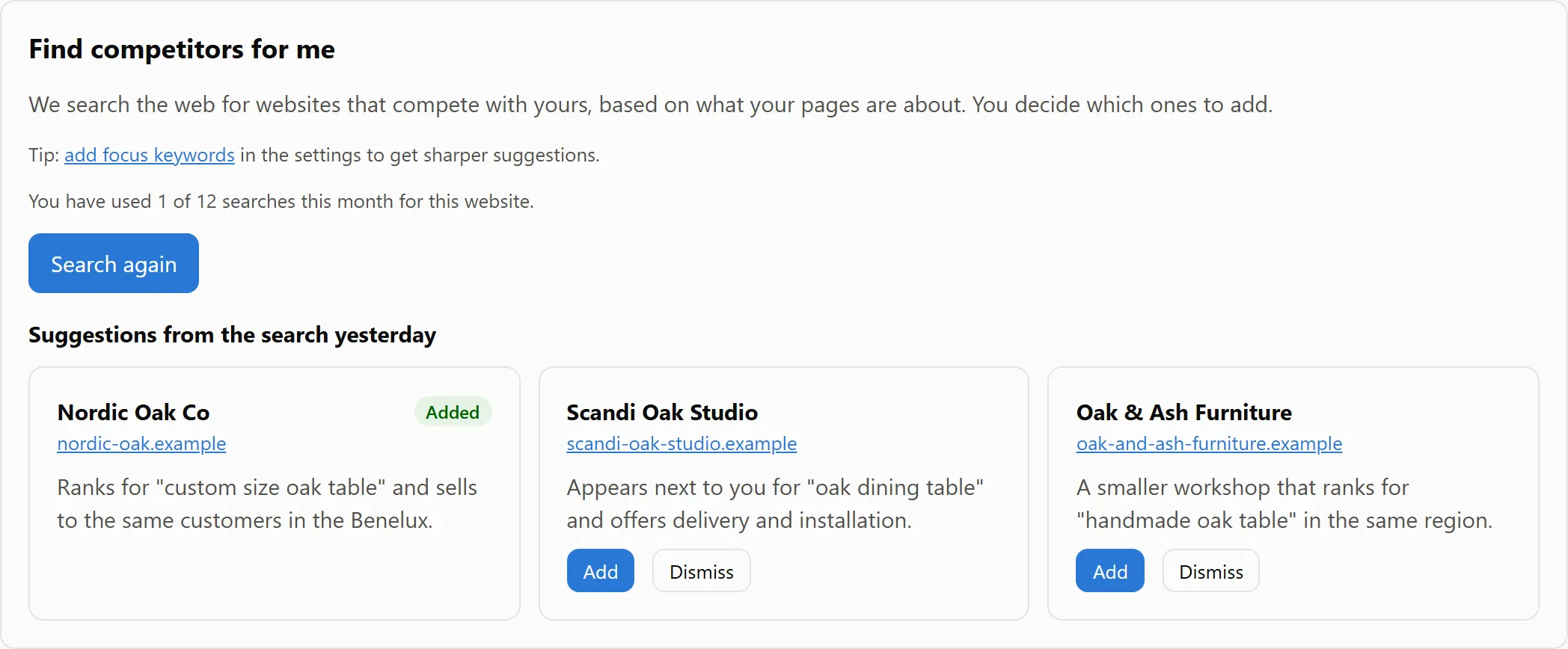
Add the competitors you know. Every analysis reads a few of their public pages and compares them with yours. Not sure who your competitors are? Start a search and get suggestions, each with the reason it was picked. You decide which ones to add.

The Competitors screen: two competitors added by the user and a third, Nordic Oak Co, found by search, with the reason it was suggested.
Suggestions from a competitor search: Nordic Oak Co (added), Scandi Oak Studio and Oak & Ash Furniture, each with a reason and Add and Dismiss buttons.

See exactly where they are ahead

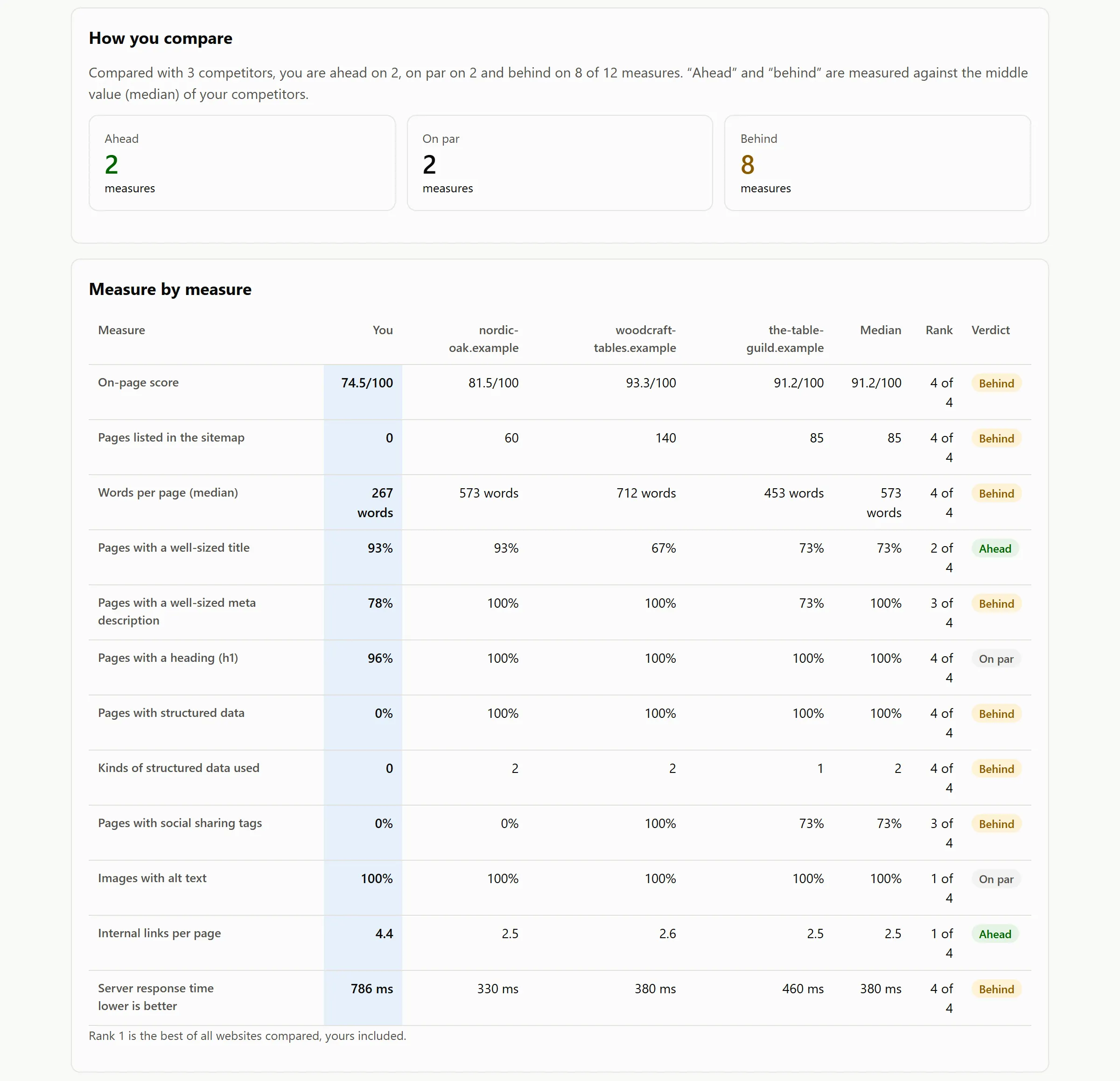
Twelve measures side by side, with your rank and a verdict for each: content depth, titles and descriptions, structured data, social tags, speed and the size of the site.

The Comparison screen: compared with three competitors the demo website is ahead on 2 measures, on par on 2 and behind on 8, shown in a table of 12 measures such as on-page score, words per page and structured data.

A report in your inbox

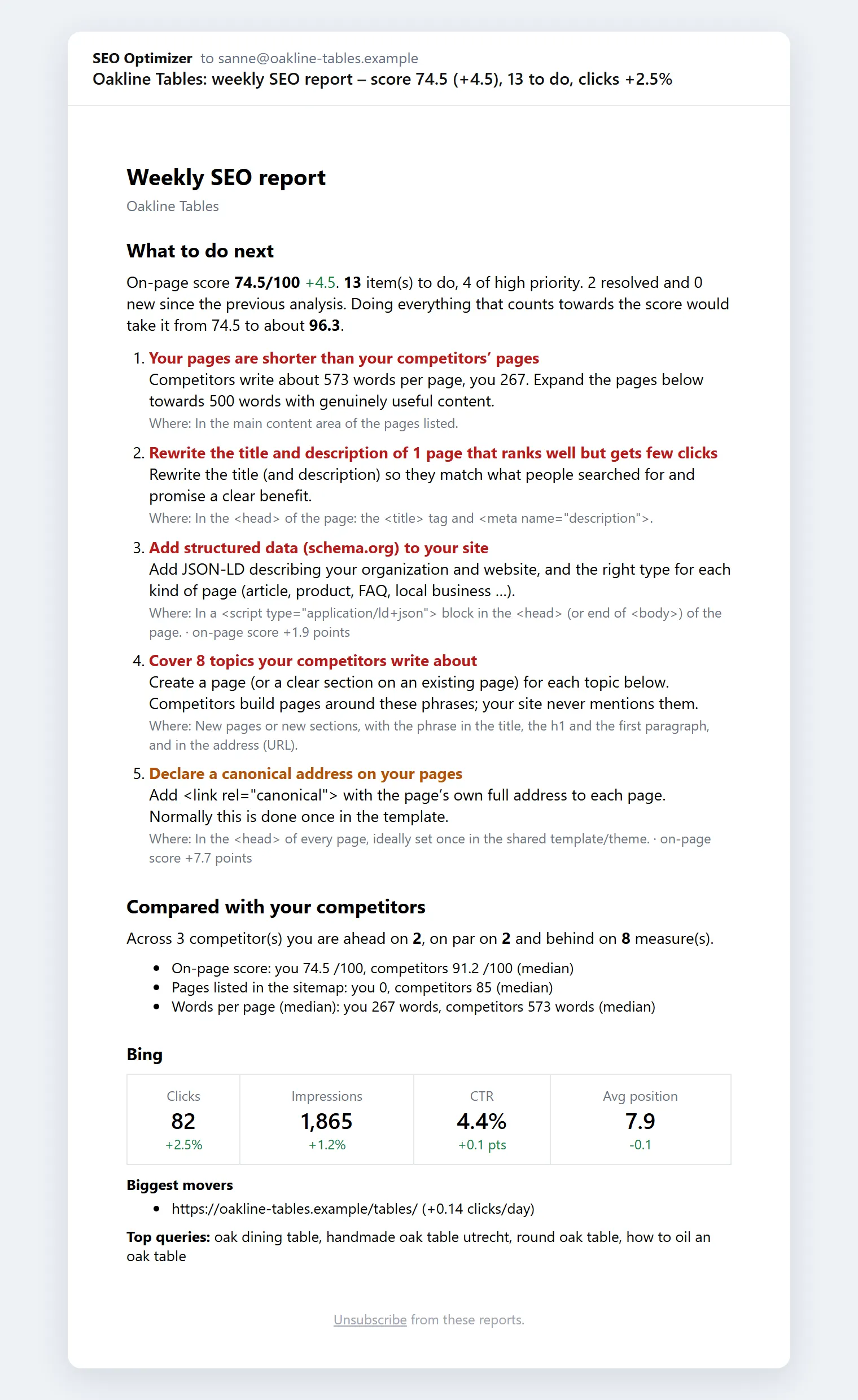
Every day, week or month, you get your score, the next things to do and how you compare with your competitors. Connect a search engine and the report adds your clicks, impressions and best-moving pages.

An e-mail report titled “weekly SEO report – score 74.5 (+4.5), 13 to do, clicks +2.5%”, with what to do next, the comparison with competitors and search engine figures.

Everything you need to know what to fix first

Advice that is specific to your website, not a generic checklist.

Where, what, how and why

Every item names the page and the exact element, shows what it says now and what to change it to, and explains why it matters. Copy-and-paste snippets and step-by-step instructions, with tips for WordPress, Shopify, Wix, Squarespace and Webflow.

See the effect before you start

Each item shows how many points it adds to your on-page score and how much effect to expect on your results, so you spend your time on what pays off first.

Compared with your competitors

See where they are ahead: pages with more depth, topics they cover that you never mention, structured data they use, how fast they load and how big their site is.

Find competitors you did not know

Start a search and get suggestions of websites that compete with you in search. Each one is checked to be a live website, and you choose which to add.

Progress and reports

Your site is re-checked automatically. See what you fixed and what is new, and get a short report by e-mail every day, week or month.

Your real search numbers

Optionally connect Google Search Console, Bing Webmaster Tools or Yandex Webmaster (read-only) to see impressions, positions and the pages that rank but are rarely clicked.

What we look at

We check the things search engines care about, on every page we can reach, and tell you about problems that sit in a template once instead of once per page.

  • Page titles and meta descriptions
  • Headings and content depth
  • Image descriptions (alt text)
  • Broken links and redirects
  • Pages hidden from search by mistake
  • Canonical tags, language and mobile settings
  • Secure connection (https) and speed
  • robots.txt and XML sitemap
  • Social sharing tags
  • Structured data (rich results)

Simple pricing

Start free. Upgrade when you need more websites, more pages or more competitors. Cancel any time.

Free

Free

  • 1 website
  • Up to 50 pages per website
  • 2 competitors per website
  • 1 competitor search a month
  • Re-checked weekly
  • E-mail reports
Start free

Starter


  • 3 websites
  • Up to 200 pages per website
  • 5 competitors per website
  • 4 competitor searches a month
  • Re-checked daily
  • E-mail reports
Get started

Pro


  • 15 websites
  • Up to 1,000 pages per website
  • 10 competitors per website
  • 12 competitor searches a month
  • Re-checked every 6 hours
  • E-mail reports
Get started

Agency


  • 100 websites
  • Up to 5,000 pages per website
  • 20 competitors per website
  • 40 competitor searches a month
  • Re-checked every hour
  • E-mail reports
Get started

You pick your plan after you sign up. Already have a license key? Activate it in your account.

Questions, answered

Do I need to give you access to my website?

No. We read your public pages the way a search engine does. There is nothing to install, no password to share and no verification step.

Will you change anything on my website?

Never. We only read pages. You get advice and ready-to-paste snippets, and you (or your web developer) make the changes.

Will this get me to number one on Google?

Nobody can honestly promise that. Rankings depend on many things, including your competitors and the search engines. We show you the fixes that matter most for your site, how many points each one adds to your on-page score, and how much effect to expect on your results.

How do you find competitors?

You can add competitors yourself, or let us search the web for businesses that compete with you in search. Each suggestion is checked to be a live website, and you decide which ones to add.

Does it work with WordPress, Shopify, Wix or Squarespace?

It works with any website. The instructions are written for everyone, with extra tips for WordPress, Shopify, Wix, Squarespace and Webflow.

How often is my website checked?

Automatically on a schedule that depends on your plan, from weekly up to hourly, and whenever you start a new analysis yourself. You can also get a daily, weekly or monthly report by e-mail.

Can I cancel at any time?

Yes. The free plan costs nothing and needs no credit card, and you can cancel a paid plan whenever you like from your account.

Find out what is holding your website back

Create a free account and get your first to-do list in minutes.

Start free